

Salesman Wise Sales Report TDL for Tally Prime 5.0 | Free Download (2025)
Boost Your Sales Team: Track individual salesman performance, calculate commissions, and generate detailed sales reports in Tally Prime. Compatible with Tally Prime 3.0, 4.0 & 5.0.
Managing a sales team? It is crucial to know which salesman is performing best. With this Salesman Wise Report TDL, you can tag a salesman to every invoice and generate separate reports for Sales, Outstanding, and Collections.

Key Features of Salesman Module TDL
- ✅ Salesman Tagging: Select a salesman name while creating Sales Invoices, Credit Notes, and Receipts.
- ✅ Detailed Reports: Get separate reports for total sales made by each salesman.
- ✅ Commission Calculation: Easily calculate incentives based on the total sales volume.
- ✅ Outstanding Tracking: Check which salesman has the most pending payments from parties.
- ✅ Auto-Filter: Filter reports by Salesman Name in a single click.
How to Use Salesman TDL in Tally Prime?
Once installed, you don't need complex configurations. Just follow these steps:
- Enable the TDL from F1 > TDLs & Add-ons.
- Go to Voucher Entry (F8 Sales).
- You will see a new field "Salesman Name". Select the name from the list.
- Save the voucher. That's it! The report is updated automatically.
Watch Live Preview (YouTube)
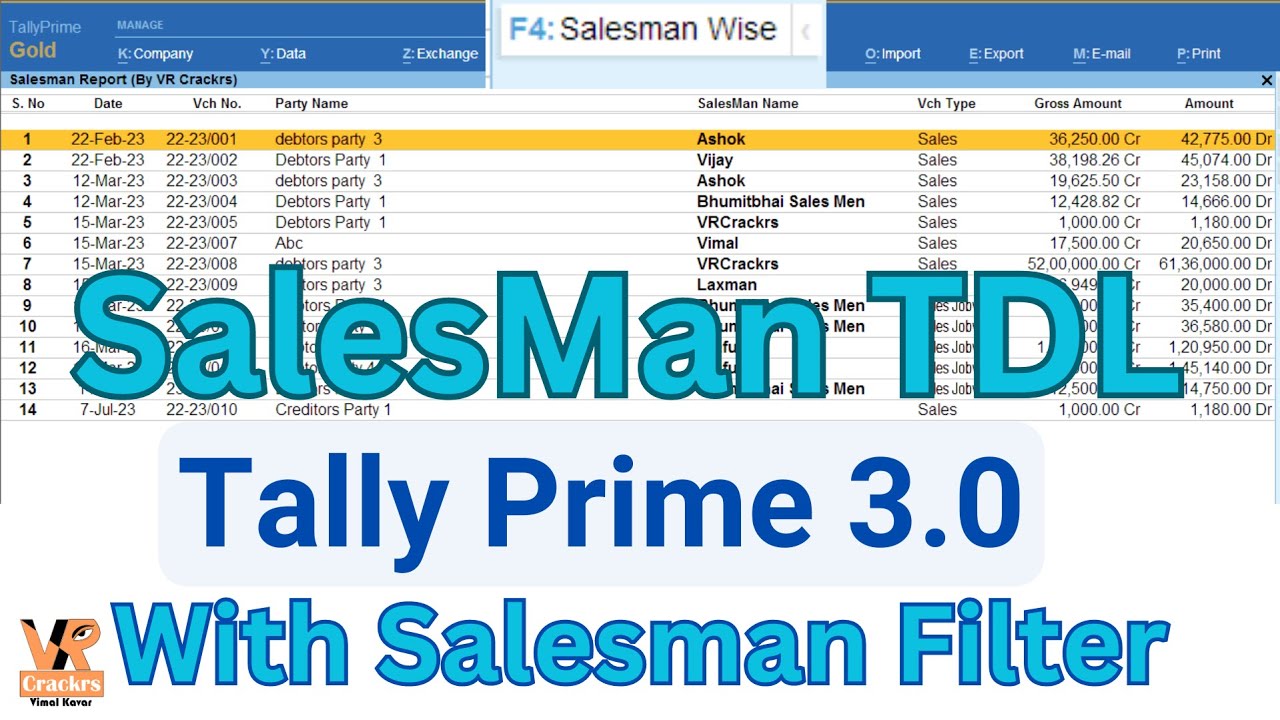
Click the image above to watch the tutorial on YouTube
Download Salesman Wise Report TDL
Get accurate insights into your sales team's performance.
Download TDL NowFAQ: Common Questions
Q: Does this work on Tally Prime 5.0?
A: Yes, this TDL is updated to work with Tally Prime 3.0, 4.0, and the latest 5.0 versions.
Q: How to add a new salesman?
A: You can create a "Salesman Ledger" or simply type the name in the new field provided by the TDL.
Q: Is this TDL free?
A: You can download the basic version for free. For premium features, check the download link above.
Conclusion
Stop calculating commissions manually in Excel. Use this Salesman Wise Report TDL to automate your tracking in Tally Prime. Download it today from VRCrackrs and simplify your sales management.






Good work sir ji
ReplyDeleteI bought sales man module but there should be salesman name print option in Invoice with YES/No in print configuration please do need full. Thank you so much.
ReplyDeletethank you for visit my website VRCrackrs,
I'll answer your comment as soon as possible.